AI tattoo generator
AI tattoo generator: design it, then see it on your skin
Describe a tattoo and get designs in any style, on paper or healed on skin. Upload a photo of your arm and preview the design on it before you book.
Your arm, a tattoo preview
- Upload a clear photo of the spot: forearm, wrist, shoulder, ankle.
- Describe the design, style and size, or attach a design you made.
- Nano Banana Pro Edit adds it to your photo and keeps everything else.
Opens Image Studio. Sign in to start; the price in credits shows before you generate.



From a plain arm to a placement preview
01 The photo
An everyday photo of the forearm.
02 The prompt
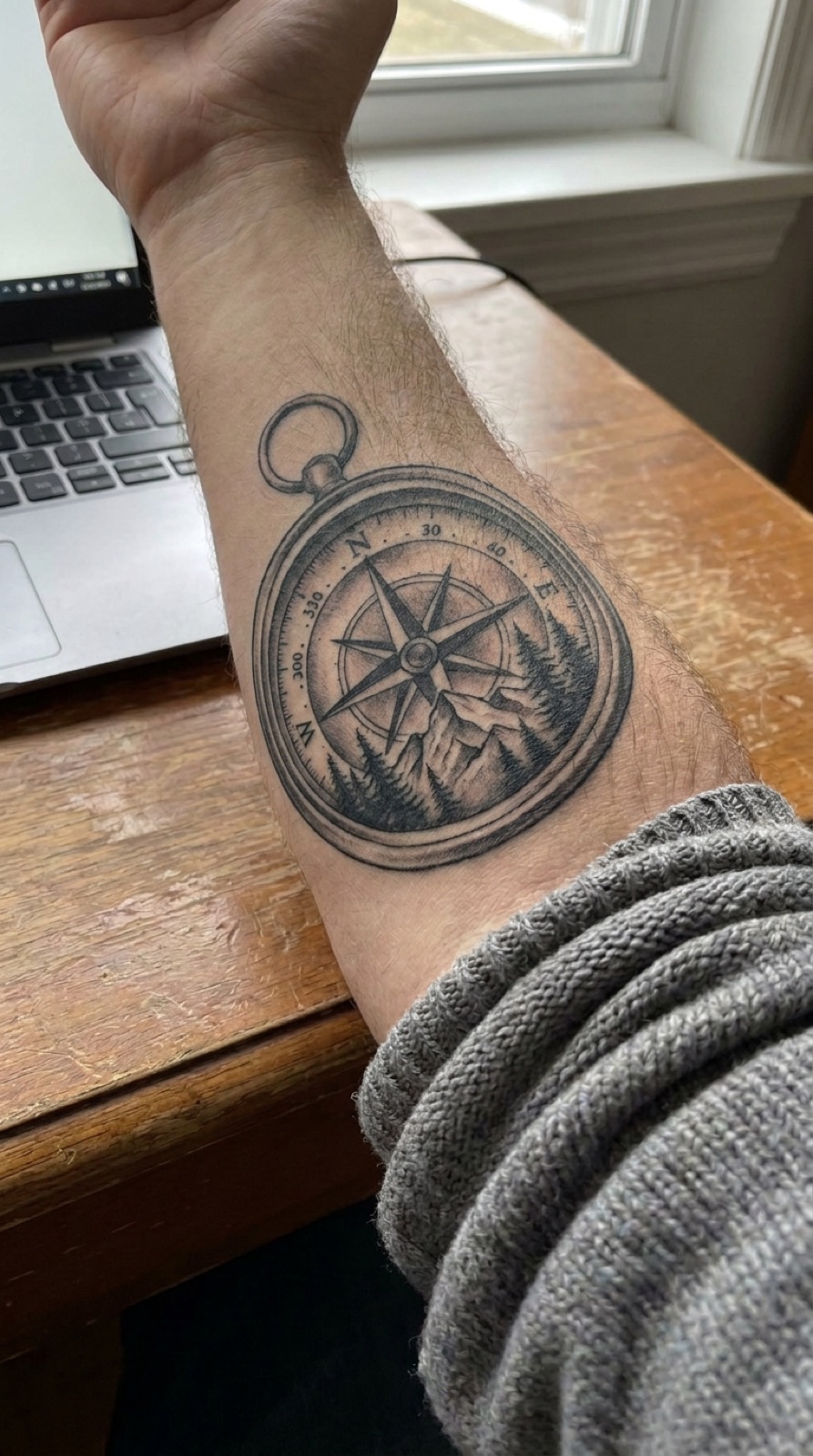
Add a black and grey realism compass with a mountain range and pine trees inside it to his inner forearm, about the size of his palm, healed ink following the skin. Keep everything else the same.
Design, size and placement.
03 The preview
Nano Banana Pro Edit, unedited.
A preview to judge size and placement; your artist will draw the final stencil. The arm is AI-generated.
How do you describe a tattoo to an AI generator?
Say what it is, the style, the colour, the size and where it sits. Ask for "healed ink" and "natural skin texture" if you want a photo on skin, or "on white paper" for a clean design. Three prompts to start from:
Close-up photo of a woman's inner forearm with a delicate fine-line tattoo of a wild rose stem with two buds and small leaves, healed black ink with crisp thin lines, her hand resting on a linen tablecloth next to a coffee cup, soft window light, vertical 9:16.
Photo of a man in his thirties with a short beard and rolled-up denim shirt sleeves in a cafe, showing a forearm sleeve tattoo in Japanese irezumi style: a koi swimming upstream through waves and cherry blossoms, black and grey with soft red accents, healed ink, natural light, vertical 9:16.
A tattoo flash sheet on cream paper: six traditional American style designs with bold black outlines and red, green and yellow fills: a rose, a swallow, a dagger through a heart, a panther head, a ship, and a snake coiled around a moon. Square 1:1, no lettering.
What it does
- Any style
- Fine line, traditional, Japanese, blackwork, realism, script.
- Flash sheets and stencils
- Clean designs on paper or plain white to bring to your artist.
- See it on skin
- A photo of the design healed on an arm, wrist or shoulder.
- Try it on your own photo
- Upload your arm and preview the size and placement.
- Lettering
- Put the exact words in quotes; Nano Banana Pro spells short text reliably.
- Many takes
- Generate variations and keep the one you'd actually wear.
Tattoo designs made in Image Studio
Four designs from a prompt and one try-on on a photo. Open a prompt to load it into Image Studio.
Japanese koi sleeve
Prompt
Photo of a man in his thirties with a short beard and rolled-up denim shirt sleeves in a cafe, showing a forearm sleeve tattoo in Japanese irezumi style: a koi swimming upstream through waves and cherry blossoms, black and grey with soft red accents, healed ink, natural light, vertical 9:16.
Fine-line rose
Prompt
Close-up photo of a woman's inner forearm with a delicate fine-line tattoo of a wild rose stem with two buds and small leaves, healed black ink with crisp thin lines, her hand resting on a linen tablecloth next to a coffee cup, soft window light, vertical 9:16.
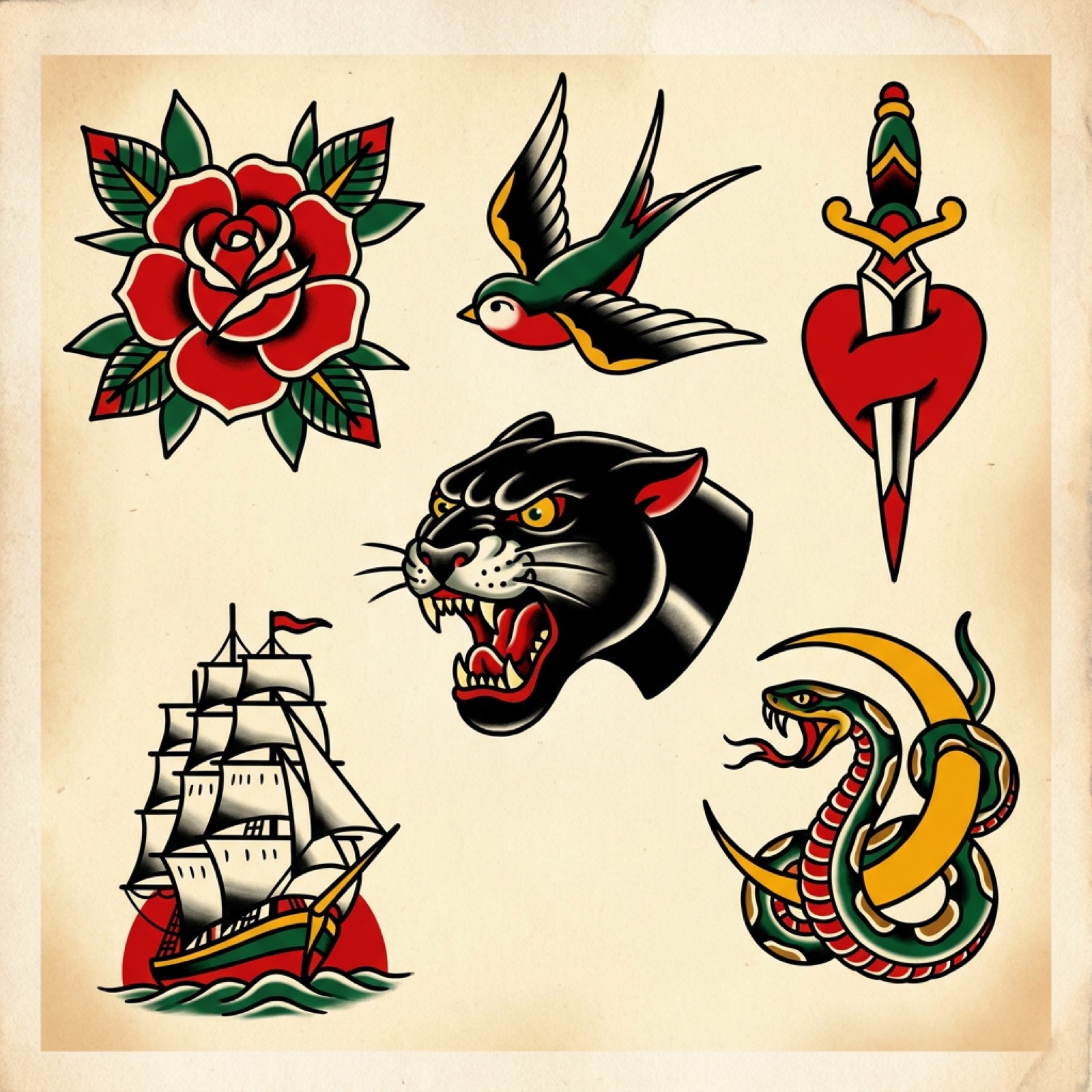
Traditional flash sheet
Prompt
A tattoo flash sheet on cream paper: six traditional American style designs with bold black outlines and red, green and yellow fills: a rose, a swallow, a dagger through a heart, a panther head, a ship, and a snake coiled around a moon. Square 1:1, no lettering.
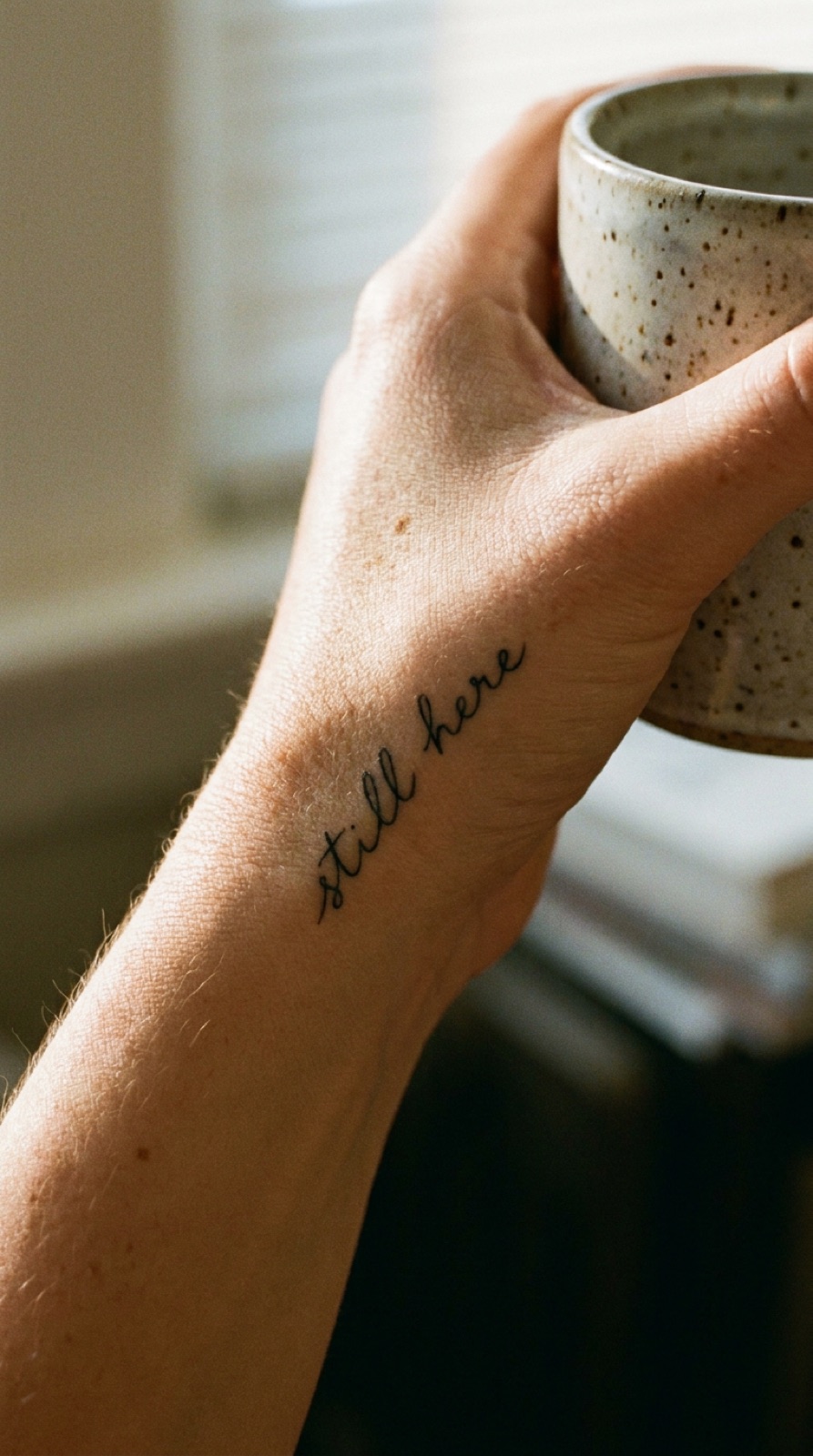
Script on the wrist
Prompt
Close-up photo of the side of a woman's wrist with a small minimalist script tattoo reading "still here" in thin elegant handwriting, healed black ink, holding a ceramic mug, warm morning light, vertical 9:16.
Try-on: compass on a forearm
Prompt
Add a tattoo to the man's inner forearm in this photo: a black and grey realism compass with a mountain range and pine trees inside it, about the size of his palm, healed ink that follows the curve and texture of the skin. Keep everything else in the photo exactly the same.
How to generate a tattoo design
- 01
Describe the design
Subject, style (fine line, traditional, Japanese, blackwork), black and grey or colour, size and placement.
Not sure of the style? Generate the same idea in three styles and compare.
- 02
Generate on paper or on skin
"On white paper" gives a clean design; "healed on a forearm, natural skin texture" gives a photo.
Lettering? Put the exact words in quotes and keep them short.
- 03
Preview it on you
Upload a photo of the spot, choose Nano Banana Pro Edit and ask it to add the tattoo, keeping everything else the same.
Wrong size? Say "about the size of a coin" or "covering the whole forearm".
More with Image Studio
Tattoo prompt tips
- Name the style first: fine line, traditional, Japanese irezumi, blackwork, realism.
- Say the size and placement: "palm-sized on the inner forearm".
- Keep small tattoos simple; fine detail blurs on skin over time.
- Ask for "healed ink" for a realistic photo, "on white paper" for a design.
- Show your artist the result as a reference, not a final stencil.
Can AI design a tattoo you can actually get?
AI is good at the idea stage: trying ten versions of a motif, comparing styles and seeing it at the right size on a body. It gives you a picture to bring to a tattoo artist, who will redraw it as a stencil that works on skin and ages well.
Ask for what an artist needs: the style, line weight, black and grey or colour, size, and placement. Fine detail shrinks badly, so keep small tattoos simple.
FAQ
What is an AI tattoo generator?
A tool that draws tattoo designs from a description. In Image Studio you describe the design and style and get it as a design or as a photo on skin.
Can I preview a tattoo on my body?
Yes. Upload a photo of the spot, choose Nano Banana Pro Edit, and ask it to add the tattoo and keep everything else the same, as in the forearm example above.
Which styles work?
Fine line, traditional flash, Japanese irezumi, blackwork, realism, minimal and script lettering all work. Name the style in the prompt.
Can it write words in a tattoo?
Yes. Put the words in quotes; Nano Banana Pro and GPT Image render short lettering well. Check spelling before you book.
Can I get the AI design tattooed?
Take it to a tattoo artist as a reference. They will redraw it as a stencil that fits your body and ages well.
How much does it cost?
Each image is paid in credits by model. Nano Banana Pro is 30 credits an image, Seedream 5.5 9. Nano Banana Pro Edit is 30 credits an image at 1K and 2K. The Standard plan is $24 a month for 2,000 credits. The price shows before you generate.