Identity-preserving
The face you supply is what comes out — likeness holds across angle and expression instead of drifting into a generic face.
Face Swap puts the face from one photo onto the person in another. Upload a face source and a target scene, click once, and the result keeps the target's lighting, angle and expression while preserving the identity you chose — no prompt to write.
TWO PHOTOS IN · ONE CLICK · NO PROMPT · NO WATERMARK
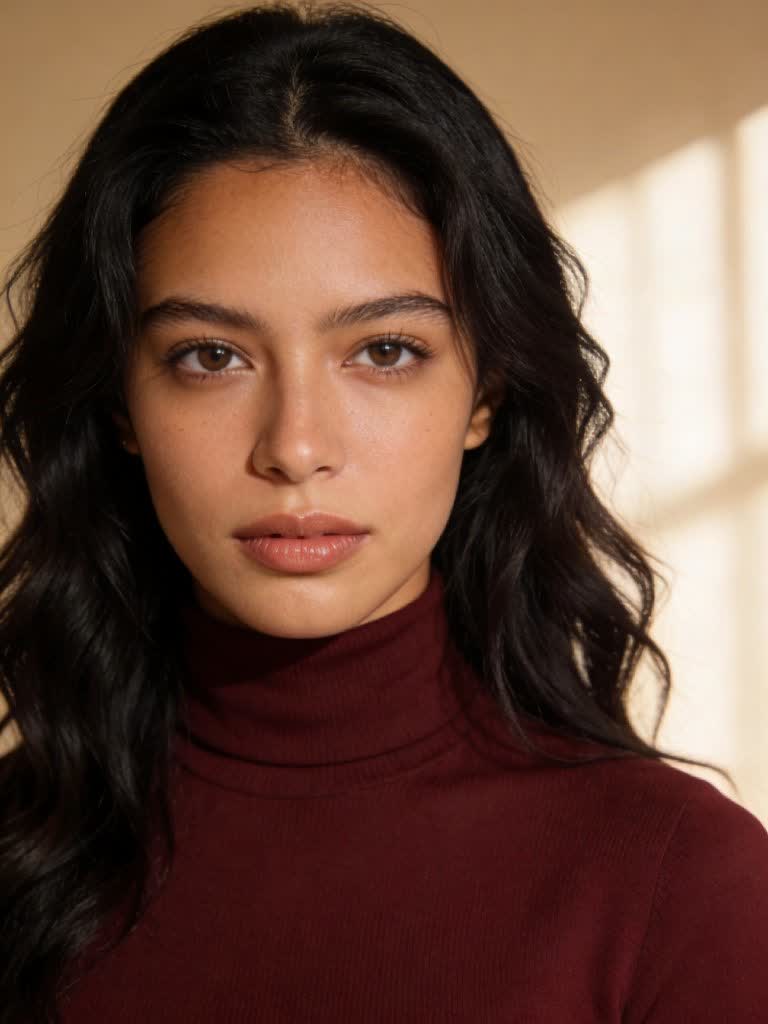
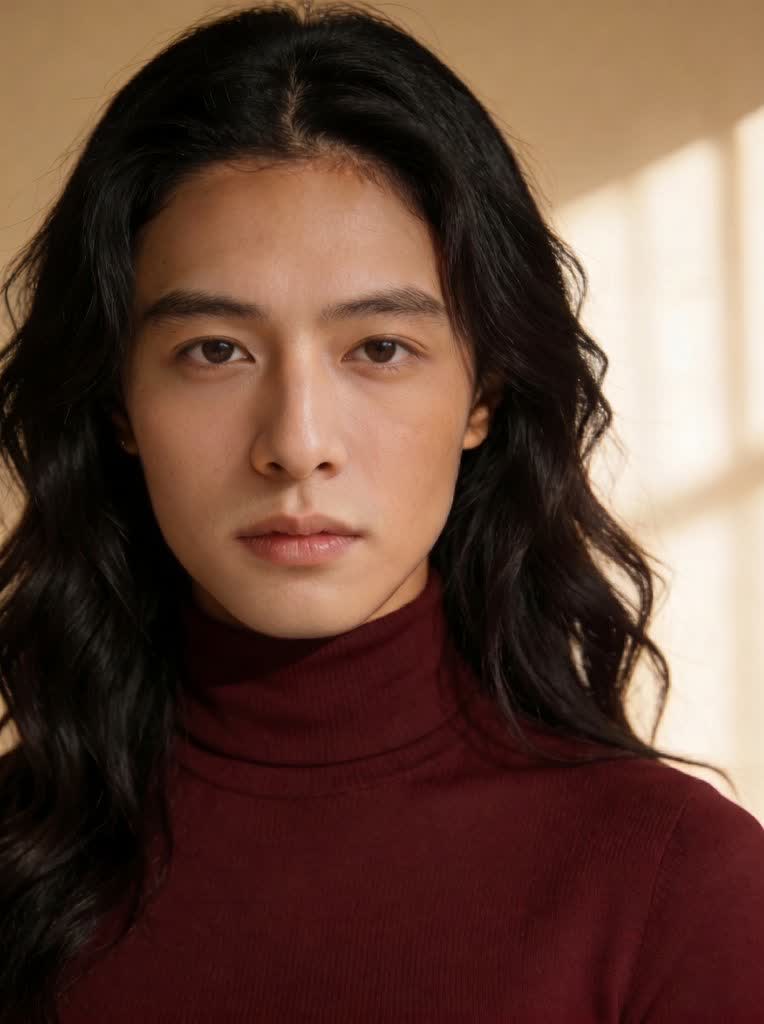
The face you supply is what comes out — likeness holds across angle and expression instead of drifting into a generic face.
Lighting, skin tone matching, hair line and the rest of the scene stay as they were. Only the face changes.
A GFPGAN-based restoration pass cleans up detail on the swapped face when the source photo is small or soft.
Any image you generate in Affogato can be sent straight to Face Swap — and from there to Upscale or True Touch.
Pair it with Characters to keep one face consistent across every campaign shot, post and video.
Every plan includes commercial use with no watermarks. Use it on ads, product pages and social.
A clear, front-facing photo of the person you want in the shot — PNG, JPEG or WebP up to 20 MB.
The photo whose face should be replaced. Its pose, lighting and background are what stays.
Click Face Swap. The exact credit cost is shown before you run it; the result lands in your assets ready to download, upscale or send to another tool.
An AI face swap takes the face from one photo and places it onto a person in another photo, matching the target's head angle, lighting and expression so the result reads as a single, original shot. Affogato's Face Swap runs a multi-face ReActor pipeline with an optional GFPGAN restore step, so it preserves the identity you supply instead of inventing a new one.
Unlike an image generator, there is no prompt: you give it two photos and it does the rest. That makes it the fastest way to put a specific person into an existing scene — a stock photo, a product shot, a frame from a shoot — without re-shooting.
Because it's part of the Affogato studio, the output isn't a dead end. Send it to Upscale for print, to True Touch for skin realism, or animate it into video. And if you're swapping the same face often, save it as a Character and reuse it everywhere.
Keep one model's face across every product shot in a catalogue, even when the source photos came from different shoots.
Run the same creative with different talent for different markets — one scene, many faces.
Try a candidate's face on a mood-board image to see how a concept lands before booking a day.
Put yourself into a stock or generated scene for a profile picture, a thumbnail or a fun edit.
Swap a consistent character into reference imagery when building a story or a brand persona.
A sharp, front-facing face photo with even light and no sunglasses gives the best likeness. The target scene can be any photo of a person; the closer its head angle is to the face source, the more natural the result.
No. Face Swap is a two-photo tool: upload the face source and the target scene and click Face Swap. There are no settings to tune.
Yes. The tool blends the new identity into the target's existing pose, lighting and expression, and an optional restoration pass sharpens the swapped face.
The studio swaps one face per run. To place several people, run it once per person, or use Videozypher to recast people in video.
Face Swap is priced per output in credits, and the exact cost is shown before you run it. Plans start at $24/month for 2,000 credits, with rollover and a commercial license.
Use photos of yourself or people who have agreed to appear. Don't use a face swap to impersonate someone or to mislead — label AI-edited images where the platform asks.
Yes. Every plan includes a commercial license and results have no watermark.
Sign in, upload a face and a scene, and swap. You'll be in the studio in under a minute.
NO WATERMARKS · CREDITS ROLL OVER · COMMERCIAL LICENSE INCLUDED · CANCEL ANYTIME