From a photo
Upload a JPG or PNG, crop the face, and the character is ready. Your own face works.
Characters are people you create once and drop into any image or video. Upload a photo or generate a face from attributes, name and describe them, and every generation that includes them keeps the same identity — across models, studios and formats.
FROM A PHOTO OR ATTRIBUTES · WORKS IN IMAGE + VIDEO · NO RE-PROMPTING


Upload a JPG or PNG, crop the face, and the character is ready. Your own face works.
Pick heritage, gender, age, hair and facial hair — or randomise — and generate a face that exists nowhere else.
Attach a character in Generate, Edit and the video workflows; the Influencer, Headshot and Talking Head studios are built on the same roster.
Name and describe the character once; the description is merged into every prompt so styling stays consistent too.
Image models that support characters get the identity natively; video models get it woven into the prompt.
Ready-made characters are included so you can test a flow before creating your own.
Upload a photo (under 4 MB, cropped to a tight portrait) or generate a face from attributes, then give them a name and a short description.
In the Image or Video Studio, pick the character; in the Influencer, Headshot and Talking Head studios they're the cast by default.
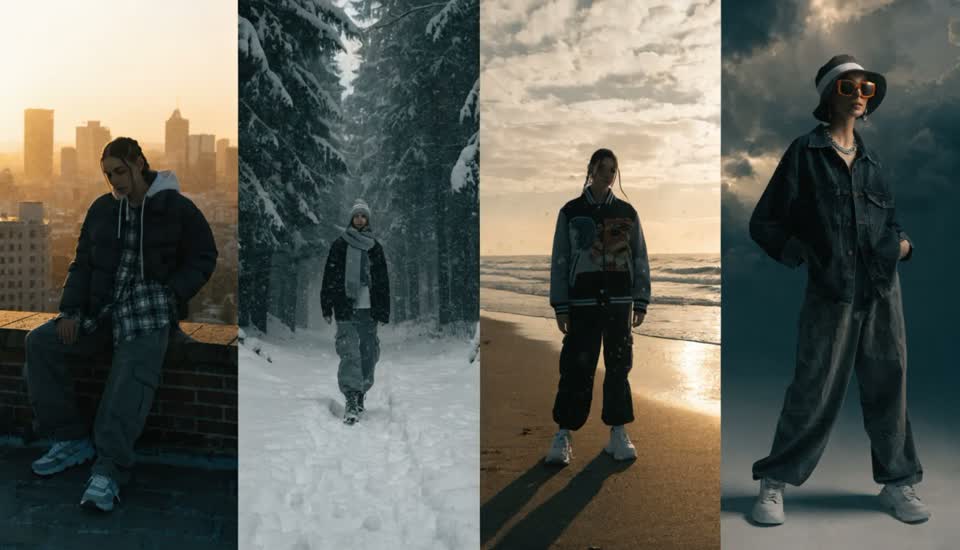
Every result keeps the same face. Change scenes, outfits, formats and models without losing them.
Character consistency is the hardest problem in AI imagery: prompt the same description twice and you get two different people. Affogato solves it with Characters — a saved identity (a face reference plus a description) that's passed to the model on every generation, so the same person appears in every image and video without re-prompting.
You create a character from a photo or from attributes (heritage, gender, age, hair, facial hair), name them and describe them. Image models that support identity locking receive the face directly; for video, the description is woven into the prompt. The same roster powers the Influencer Studio, Headshot Studio and Talking Head Studio, so a person you create once is available in all of them.
That's what turns a generator into a production tool: a persona for social, a brand ambassador for a catalogue, a recurring character in a story — all the same face, in any scene, any format.
One persona across hundreds of posts, in stills and video.
The same model in every product shot of a catalogue.
Recurring characters that hold across scenes and episodes.
Upload your own face and generate headshots, try-ons and videos of yourself.
Generate several characters from attributes and test which one a campaign lands with.
Yes. Upload a JPG or PNG under 4 MB, crop the face, and you're a character. Use it in headshots, try-ons, videos — anything.
Image models that support characters lock the face natively, which is very consistent. Video models get the description woven into the prompt, which keeps styling and features consistent with some variation between clips.
Image Generate and Edit, the Text-, Image- and Reference-to-Video workflows, and the Influencer, Headshot and Talking Head studios, which all share the same roster.
Uploading a photo is free. Generating a face from attributes is a small image generation; using a character in the studios may route to a character-capable model variant, and the estimate shows the cost each time.
Yes — choose attributes (or randomise) to create a face that exists nowhere else, which is the safest option for public-facing personas.
Your own, or people who have agreed to appear. Don't create characters to impersonate real people.
Sign in, upload a photo or generate a face, and put them in your next image.
NO WATERMARKS · CREDITS ROLL OVER · COMMERCIAL LICENSE INCLUDED · CANCEL ANYTIME