A real timeline
One video track, two audio tracks and a text track; drag, trim, split, reorder — with undo and autosave.
The Video Editor is a project-based timeline in the browser for everything you upload or generate in the studios. Arrange clips, images and soundtracks; trim, split and fade; add auto-captions and text; and export a finished 720p or 1080p MP4 — up to ten minutes — straight to your assets.
TIMELINE · AUTO-CAPTIONS · TEXT & TITLES · 720P / 1080P EXPORT
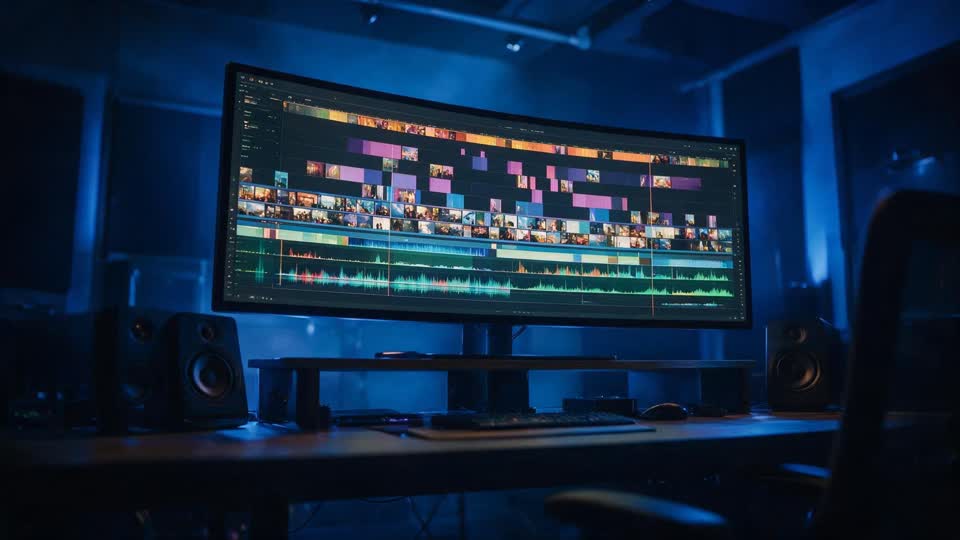
One video track, two audio tracks and a text track; drag, trim, split, reorder — with undo and autosave.
Whisper transcription turns speech into caption clips you can restyle and reposition. Already-transcribed media is free to recaption.
Free-positioned text clips in Sans, Condensed, Lato, Serif and Mono, with fades on export.
Ken Burns zoom in or out on stills, so image sequences move.
Everything from the Image, Video, Audio and Talking Head studios is already in your library — no uploads needed.
9:16 for Reels, TikTok and Shorts; 1:1 for feed posts; 16:9 for YouTube. Export H.264 MP4 at 720p or 1080p.
Pick a canvas — 9:16, 1:1 or 16:9 — and add media from your library or upload video, images and audio.
Arrange clips on the timeline, trim and split, set volume and fades, add Ken Burns to stills, drop in a soundtrack, and add text or auto-captions.
Choose 720p or 1080p and export an MP4 of up to ten minutes. It's saved to your assets, ready to post.
Generated video comes out in pieces — a five-second clip here, a voiceover there, a talking-head segment, a still you want on screen for three seconds. Turning those into something you can post means a cut: order, timing, sound, captions, an export at the right size. The Video Editor is that step, in the browser, with your generated media already in the bin.
It is a proper timeline rather than a template tool: a video track, two audio tracks and a text track; trim, split, volume, fades and undo; Ken Burns motion on images; auto-captions from Whisper transcription; text clips in five typefaces. Projects autosave, and the same timeline document drives both the preview and the server-side ffmpeg export, so what you see is what renders.
Export is priced by the minute — 2 credits per minute at 720p, 4 at 1080p — and captions by the audio minute, with media you've already transcribed free to recaption. The Talking Head Studio assembles its episodes here, and anything from the Video and Audio studios drops straight in.
Stitch three Video Studio clips, add a music bed and captions, export 9:16.
Auto-caption a talking-head or UGC clip and style the text.
Product stills with Ken Burns motion and a voiceover.
Add B-roll, titles and a soundtrack to an assembled episode.
1080p MP4s at platform sizes without leaving the workspace.
No. The editor runs in the browser; projects autosave and exports render on our servers into your assets.
Yes. Auto-captions transcribe the audio with Whisper and place caption clips on the text track; you can then restyle and reposition them. Recaptioning already-transcribed media is free.
Video, images and audio from your Affogato library or your uploads — one video track, two audio tracks and one text track, up to ten minutes.
H.264/AAC MP4 at 720p or 1080p in 9:16, 1:1 or 16:9, up to ten minutes. Fades render on export (the preview plays cuts, trims, volume and text).
Export costs 2 credits per output minute at 720p or 4 at 1080p; auto-captions cost 2 credits per audio minute. Editing itself is free.
Yes — everything generated in the Image, Video, Audio, Influencer and Talking Head studios is in your library, and Talking Head episodes are assembled as editor projects.
Sign in, open a project, and export your first reel from the clips you already have.
NO WATERMARKS · CREDITS ROLL OVER · COMMERCIAL LICENSE INCLUDED · CANCEL ANYTIME