MCP · FOR MARKETERS
MCP for marketing: ad creative from your AI assistant
An MCP server lets an assistant like Claude or ChatGPT use outside tools. Affogato's gives it creative tools: product shots in every placement size, AI actors holding your product, product films, try-on and lip-synced spokesperson video, all quoted before they spend.
Analytics and ad-platform MCP servers tell your assistant what's working. Affogato is the one that makes the creative. Every image and clip on this page came from an assistant calling these tools.
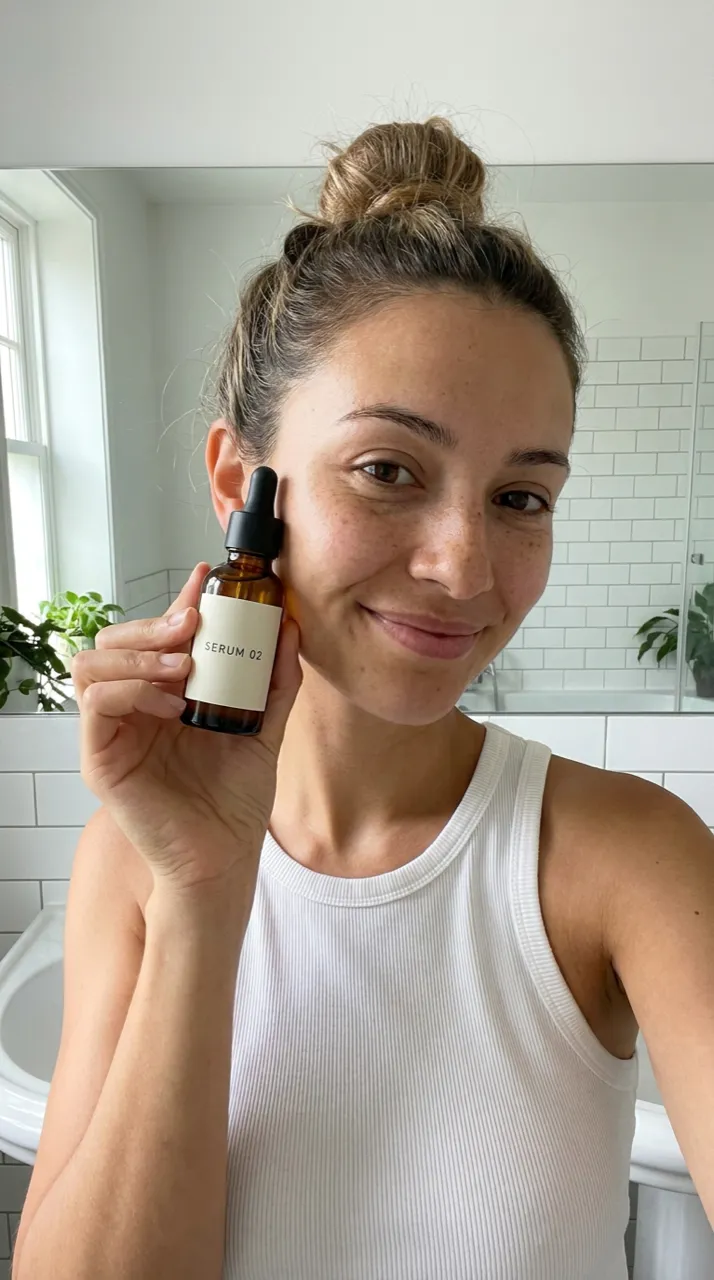
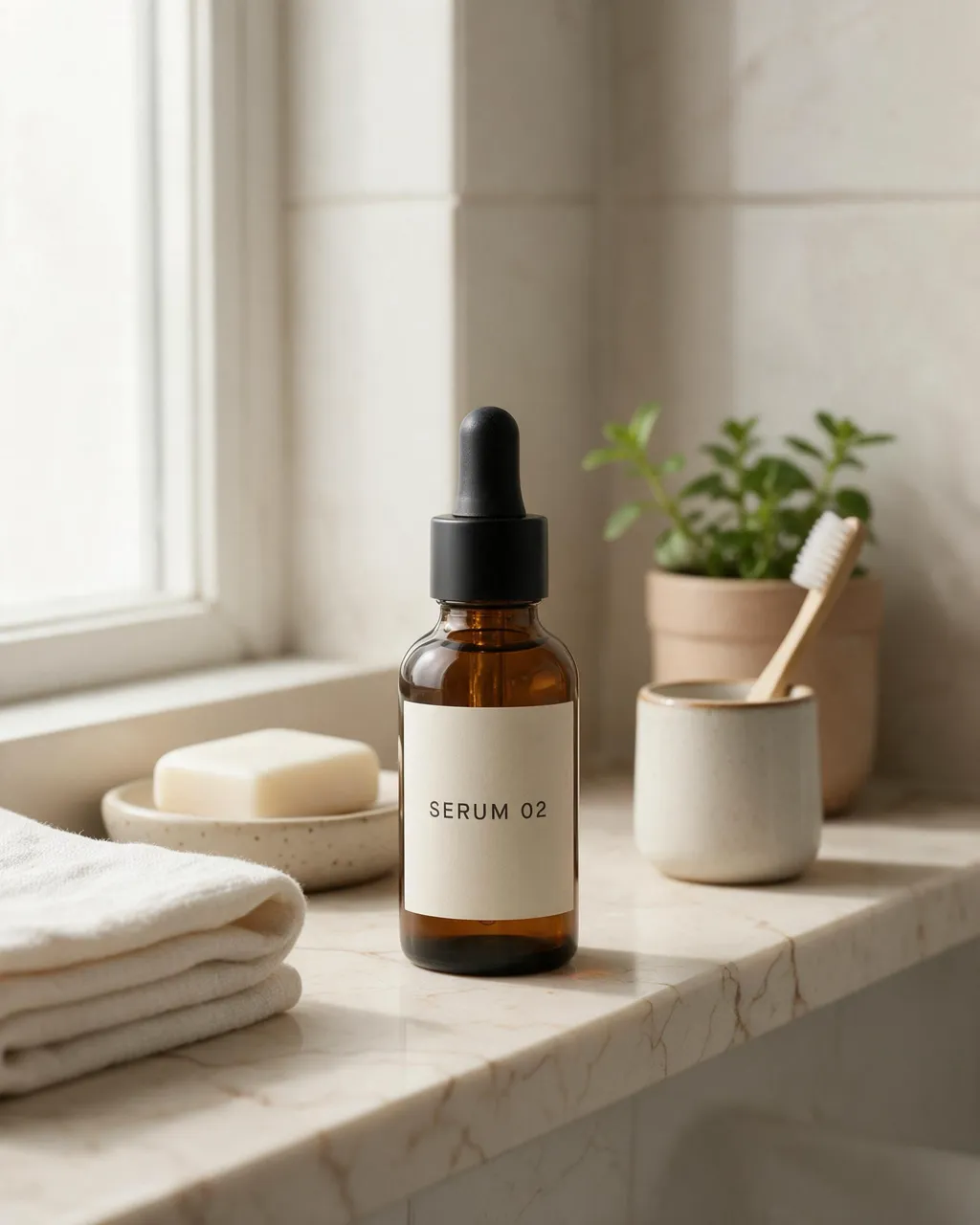
https://staging.api.affogato.ai/mcpHere's our serum (SERUM 02). Make three UGC-style ad stills with different people holding it, plus a 4:5 feed shot.
Three actors with the bottle as the reference (30 credits each) and a Bathroom shelf product shot at 4:5 (27 credits). Generating now.
- edit_image · nano-banana-pro-edit · 30 credits
- product_shot · photo-6 · 4:5 · 27 credits
- wait_for_generation

Connect once, about a minute.
The Claude steps are below; ChatGPT, Cursor and Claude Code use the same URL and sign-in.
- 01
Add Affogato as a connector
In Claude, open Settings → Connectors → Add custom connector. Name it Affogato and paste the MCP URL. The Add to Claude button above opens that dialog already filled in.
MCP URLhttps://staging.api.affogato.ai/mcp - 02
Sign in with your Affogato account
Click Connect. An Affogato page opens: sign in, pick the workspace whose credits Claude may spend, and approve. No API key is created or pasted.
- 03
Ask for what you want
In a new chat, describe the image or clip. Claude picks a model, quotes the credits, generates and shows you the result. Turn the connector on from the chat's tools menu if Claude doesn't use it.
Agencies: connect the workspace of the client you're working on, or switch workspaces from the assistant. Each workspace keeps its own credits and library.
Other apps: Claude Code · ChatGPT · Cursor · Codex, VS Code and any MCP client
A campaign's worth, made over MCP
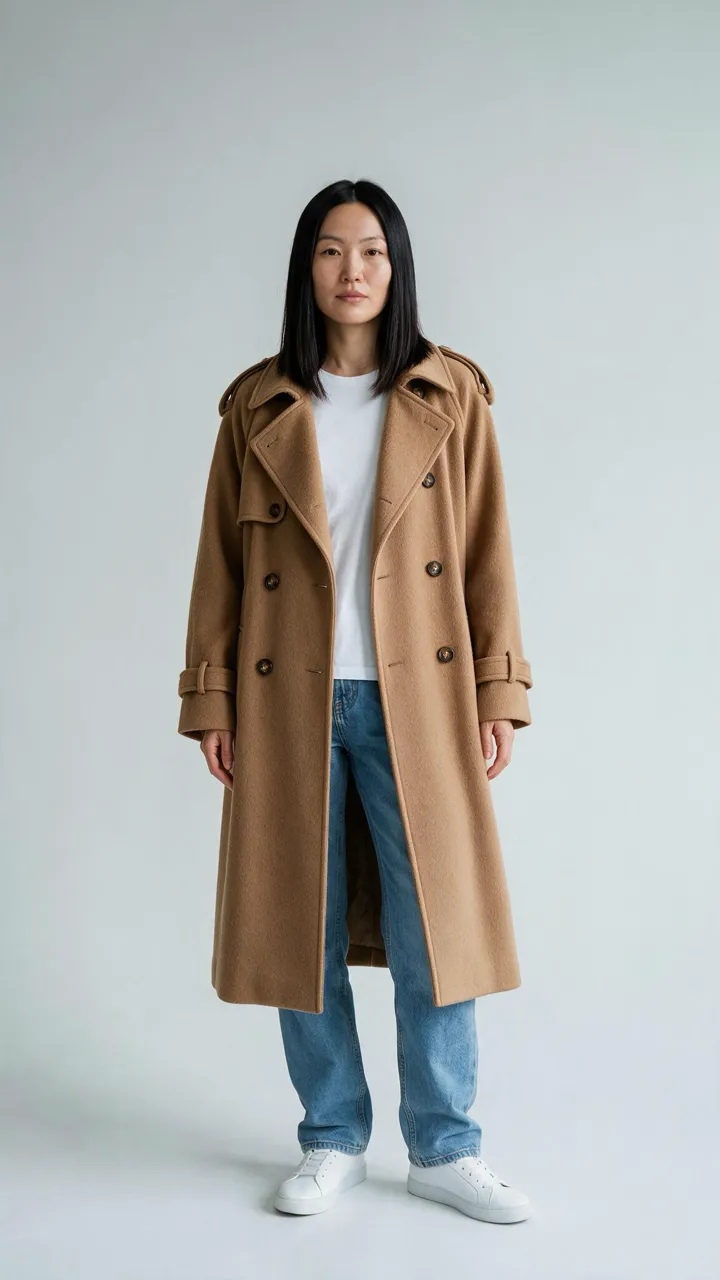
One product photo, one flat-lay and one script. Tool, prompt and credits as charged.
What the assistant can call
Every image model in the live catalog; video, voice and lip-sync models work the same way.
- Nano Banana Profrom 30 credits
- Nano Banana 2.1from 8 credits
- Seedream 5.0from 6 credits
- GPT Image 2.5 Flarefrom 76 credits
- FLUX.3 Imagefrom 10 credits
- Krea 3from 5 credits
- Ideogram 4.5from 12 credits
- Qwen Image 3from 8 credits
- Affogato Realismfrom 8 credits
- FLUX.1from 1 credits
- Seedream v4.5from 8 credits
- Seedream 5.5from 9 credits
- GPT Image 2.6 Flarefrom 76 credits
- Flux Rawphotofrom 10 credits
- Wan 2.7from 6 credits
- Qwen Imagefrom 4 credits
- FLUX.3 Kleinfrom 2 credits
- FLUX.2 [pro] Outpaintfrom 9 credits
Things to ask
Plain words work. Name a model, a format or a budget when you care.
- “Make our product photo into Facebook feed, Stories and YouTube sizes in the Golden hour scene.”
- “Put this jacket from the flat-lay on our brand's model, then make a 5-second lookbook clip.”
- “Voice this script in Spanish and lip-sync it onto last week's spokesperson video.”
- “Make three versions of this ad that only change the setting: gym, kitchen, office.”
How it works, and the limits
Creative, not reporting
Ad-platform and analytics MCP servers read performance. Affogato's makes images, video and voice, so the assistant can go from "what's working" to new variants in the same chat.
Tools built for ads
product_shot and product_film use Product Studio's scenes and placement sizes; try_on dresses a model from a flat-lay; talking_head and lipsync make and localise spokesperson video.
Use people you have rights to
Make actors and models with AI, or use your own talent with their permission. Real people's faces are checked by the content policy, and ad platforms ask for AI content to be labelled.
A quote before every spend
On full-profile clients, estimate_cost prices exact inputs without charging; routed estimates can exceed the actual debit. ChatGPT uses typed generation tools. Above your confirm threshold the assistant must ask you first, and a daily cap stops agents for the day.
Questions
What is an MCP server for marketing?
MCP (Model Context Protocol) lets an AI assistant call outside tools. A marketing MCP server gives it marketing tools: some read ad accounts or analytics; Affogato's creates the ad creative itself.
Can Claude or ChatGPT make our ads?
With Affogato connected, yes: product shots in each placement size, UGC-style stills and clips with AI actors, product films, try-on and spokesperson video. You review and publish them.
Does it post to our ad accounts?
No. Results land in the chat and in your Affogato library; you upload them to the ad platform yourself.
Can it keep our product accurate?
The product photo is used as the reference for every shot and film. Check labels and small text before anything runs.
Do I need an Affogato account?
Yes. The connector signs in to your Affogato account and spends the credits of the workspace you approve, the same credits as the web app. That workspace needs a paid plan or purchased credits; see the pricing page.
Can the assistant spend all my credits?
Generation tools enforce your confirmation threshold and daily cap. Full-profile clients can estimate exact model inputs without charging; routed estimates are conservative and actual charges can be lower. ChatGPT uses typed tools rather than estimate_cost. Failed or cancelled generations are refunded in full.
Can I use my own photo?
Yes. Chat apps don't pass attachments to connectors, so the assistant gives you an Affogato upload link: drop the file there and it is ready for the next step. Coding agents upload files from your disk directly.
Connect once. Ask for anything.
Generations spend your Affogato credits, quoted first. See pricing, or manage connected agents and spend limits on the Developers page of the app.