AI portrait generator
AI portrait generator: editorial, fine-art and painted portraits
Describe the person, the light and the look to get a portrait, or upload a photo of yourself and have it painted.
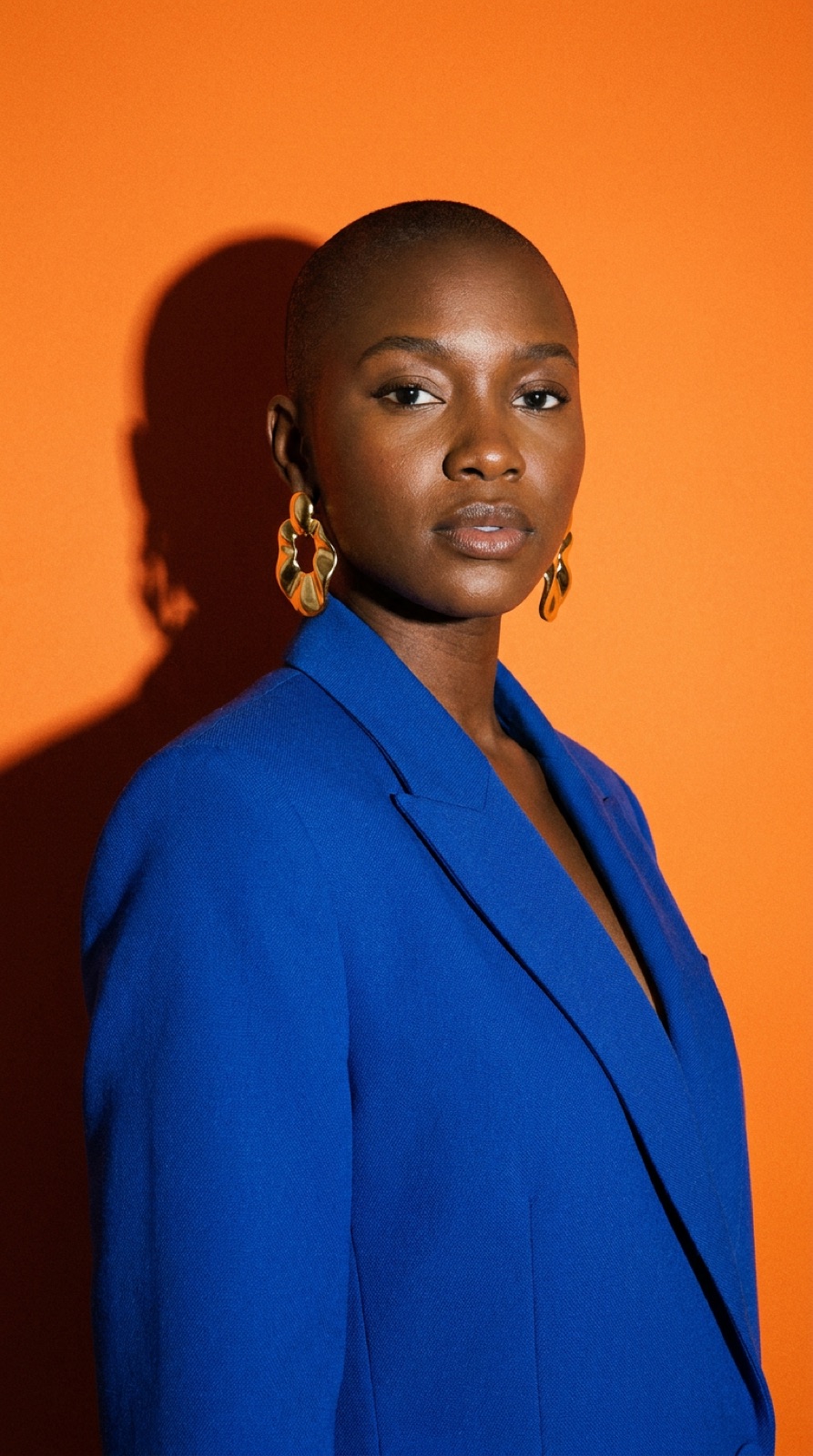
Nano Banana Pro, 9:16, unedited
A bus selfie, painted in oils
01 Her photo
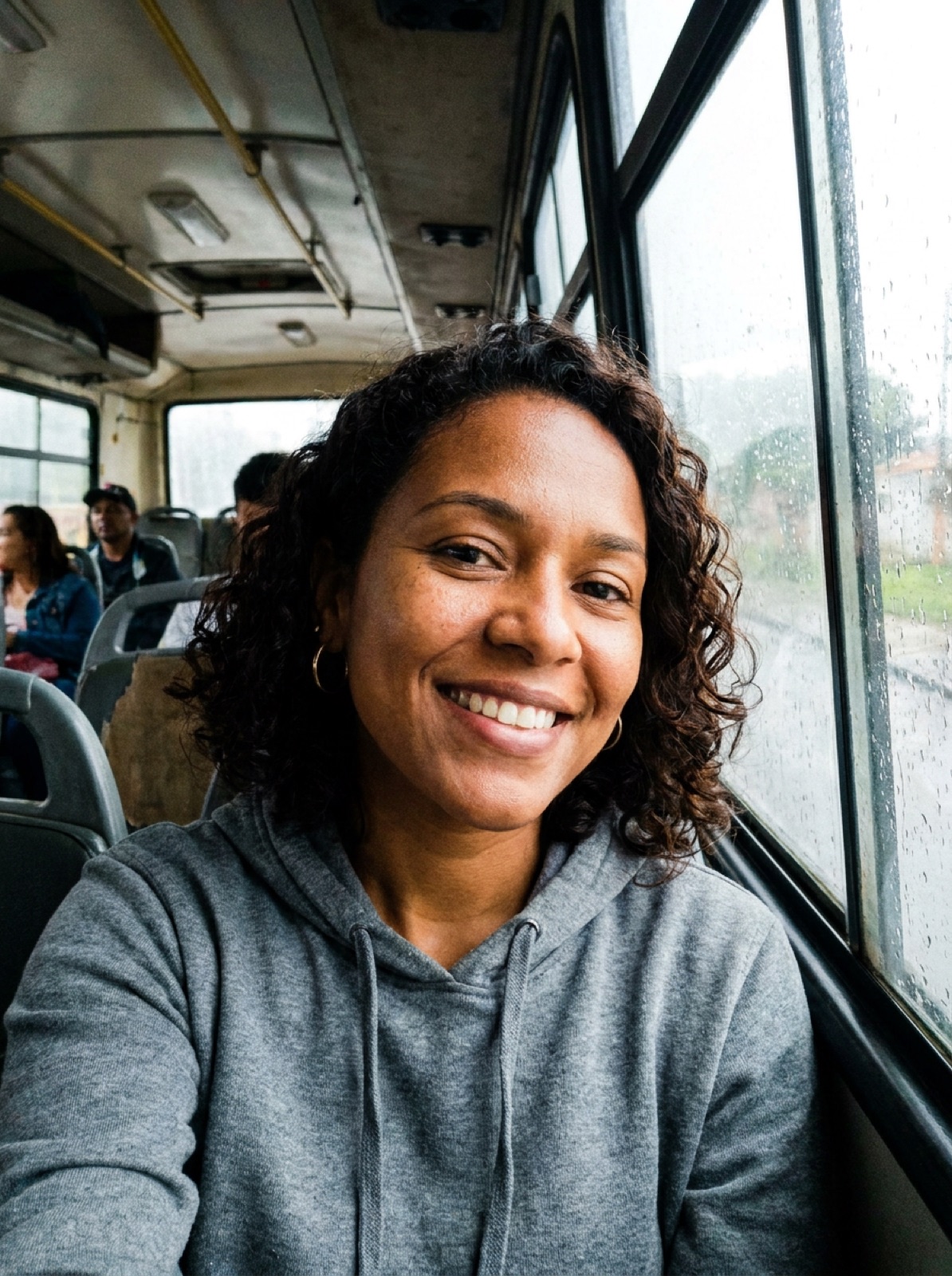
An everyday selfie.
02 The prompt
Paint her as a classical oil portrait: same face, curly hair and gold hoops, emerald silk blouse, dark warm background, Rembrandt lighting, visible brush strokes.
The medium, the light, what to keep.
03 The portrait

Nano Banana Pro Edit, unedited.
The woman and her selfie are AI-generated examples.
How do you prompt an AI portrait?
Describe the person with one or two telling details, then the light (direction and hardness), then the medium and lens. "Natural skin texture" keeps it from looking airbrushed. Three prompts:
Editorial fashion portrait of a woman in her twenties with dark skin, a shaved head and bold gold earrings, wearing a cobalt blue structured blazer, against a saturated orange seamless backdrop, hard studio flash with crisp shadow, confident gaze, vertical 9:16 magazine photo, natural skin texture.
Fine-art black and white portrait photograph of a man in his seventies with deep wrinkles, a weathered face and a wool flat cap, looking straight into the camera, dramatic window side light, deep shadows, medium-format film grain, chest-up, vertical 3:4.
Paint the woman from the reference photo as a classical oil painting portrait: keep her recognisable, same face, curly dark hair, gold hoop earrings and warm brown skin, in a deep emerald silk blouse, three-quarter view against a dark warm background, Rembrandt lighting, visible brush strokes and canvas texture, vertical 3:4.
What it does
- Portraits from a description
- Age, character, wardrobe, light and lens, in a sentence.
- Real skin and light
- Texture, wrinkles and a light source, not an airbrushed face.
- Fine art and editorial
- Black and white, studio flash, window light, film grain.
- Your photo, painted
- Oil, watercolour or charcoal versions of your own portrait.
- Print sizes
- Up to 4K, or upscale your favourite.
- Headshots too
- For a corporate set, Headshot Studio has 40 looks.
Portraits made in Image Studio
Two from a prompt, one from a selfie. Open a prompt to load it into the creator above.
Editorial studio flash
Prompt
Editorial fashion portrait of a woman in her twenties with dark skin, a shaved head and bold gold earrings, wearing a cobalt blue structured blazer, against a saturated orange seamless backdrop, hard studio flash with crisp shadow, confident gaze, vertical 9:16 magazine photo, natural skin texture.

Black and white fine art
Prompt
Fine-art black and white portrait photograph of a man in his seventies with deep wrinkles, a weathered face and a wool flat cap, looking straight into the camera, dramatic window side light, deep shadows, medium-format film grain, chest-up, vertical 3:4.
Photo to oil painting
Prompt
Paint the woman from the reference photo as a classical oil painting portrait: keep her recognisable, same face, curly dark hair, gold hoop earrings and warm brown skin, in a deep emerald silk blouse, three-quarter view against a dark warm background, Rembrandt lighting, visible brush strokes and canvas texture, vertical 3:4.
How to generate a portrait
- 01
Describe the person
Age, one or two telling details, wardrobe and expression.
Start from a preset above.
- 02
Set the light and medium
Window light, studio flash, black and white, film grain, oil on canvas.
Painting from a photo? Upload it and choose Nano Banana Pro Edit.
- 03
Generate and print
Compare a few models, keep the best and upscale for print.
Looks too smooth? Run it through True Touch.
Related tools
Portrait tips
- Name the light source and its direction.
- Give the person one or two specific details.
- Ask for natural skin texture; avoid "flawless".
- 3:4 is the classic portrait shape; 9:16 for phones.
- Only paint real people who are happy for you to.
What makes an AI portrait look like a real portrait?
Portraits are about light and character. Say where the light comes from and how hard it is, what the person has lived through (wrinkles, a scar, a posture), and the medium: medium-format film, studio flash, oil on canvas.
Ask for natural skin texture and avoid "flawless" or "perfect"; those produce the airbrushed look people recognise as AI.
FAQ
What is an AI portrait generator?
A tool that makes portraits from a description or restyles your photo as a portrait. Image Studio does both.
Can I turn my photo into a painting?
Yes. Upload it, choose Nano Banana Pro Edit and ask for an oil, watercolour or charcoal portrait that keeps your face.
Which model is best for portraits?
Nano Banana Pro made the examples here; Seedream 5.5 is strong on natural skin. Compare a few on one prompt.
Can I print the portraits?
Yes. Generate at up to 4K or upscale the result.
What's the difference from the headshot generator?
Headshot Studio makes a consistent set of professional headshots from a selfie; this page is for artistic, editorial and painted portraits.
How much does it cost?
Each image is paid in credits by model. Nano Banana Pro is 30 credits an image, Seedream 5.5 9. The Standard plan is $24 a month for 2,000 credits.