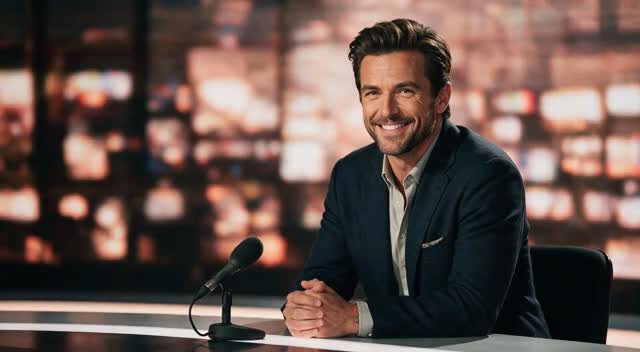
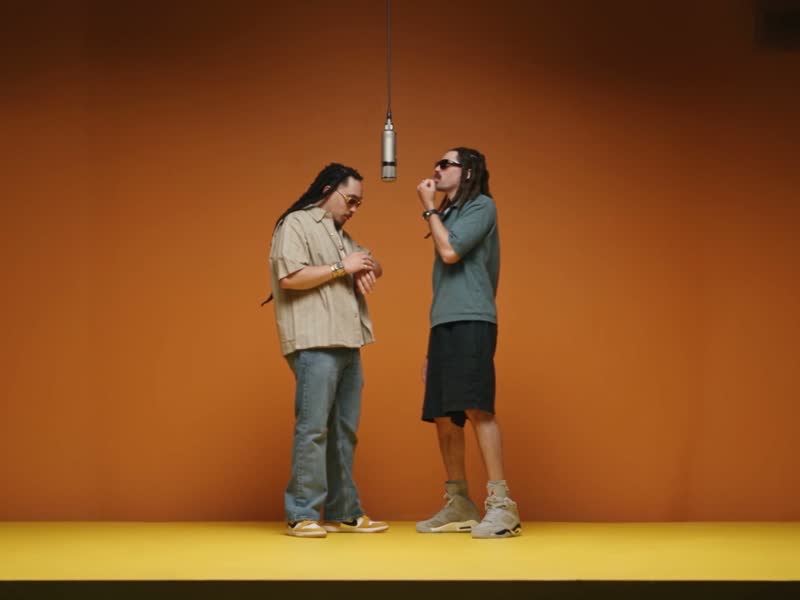
動画生成AI
動画生成AI:シーンを書けば、音声付きのクリップに
カットを文章で書くか写真を追加し、Kling 3.0、Seedance 2.0などのトップモデルを選べば、完成したクリップができあがります。リールやTikTokには縦型、それ以外は横型で。
サンプル動画
ひとつのプロンプトを、2つのモデルで比較
01 プロンプト
Low-angle handheld shot at street level: an adult skateboarder in a grey hoodie rolls toward a concrete ledge in an empty plaza at golden hour. He pops a kickflip, the board spins once beneath his feet, he catches it and lands with knees bent, wheels clacking hard on the concrete. The camera tilts up to follow the jump, then settles as he rolls away. Long shadows, dust kicked up on landing. Sound: wheel roll, the snap of the tail, the landing clack.
一度書いて、そのまま両方のモデルに送信。
02 Kling 3.0 Pro
カメラが安定し、着地もきれい。
03 Seedance 2.0
ラフな手持ち風で、ボードの回転が大きい。
どちらも表示したプロンプトそのままの無加工の結果です。Video Studioでは、ひとつのプロンプトを複数のモデルで実行して、気に入ったものを残せます。
できること
- すべての動画モデル
- ByteDance Seedance、Google Gemini Omni Flash、Kling、Alibaba Wan、MiniMax HailuoとH3、xAI Grok Imagine、FLUX.3 Videoなど。カットごとに選べ、新しいモデルも公開され次第追加されます。
- 6つのワークフロー
- Text to Video、Image to Video(最初+最後のフレーム)、Reference to Video、Video to Video(作り替え・延長)、Lipsync、Upscale。ひとつのバー、ひとつのフィードです。
- 動きをコントロール
- 静止画から始めたり、最後のフレームを指定したり、被写体のリファレンスを渡して同じ人物や商品をクリップ全体で保ったりできます。
- Charactersも一緒に
- 保存したCharacterをテキスト・画像・リファレンスから動画に添付すると、その説明がプロンプトに反映されます。
- そのまま仕上げへ
- どのクリップもタイルからLipsync、Video to Video、Upscaleに送れます。Video Editorでカットや字幕入れも可能です。
- 秒単位の料金
- クレジットは長さと解像度に応じて決まります。生成前に正確な見積もりが表示され、失敗したレンダリングは返金されます。
テキストから動画で生まれた人物
下のクリップはすべてプロンプトだけから生まれました。撮影素材も役者もいません。プロンプトを開いて上の生成ツールに読み込み、自分のバージョンを作ってみてください。プロンプトは送信したとおり英語のままです。
街頭インタビュー
プロンプト(英語)
Handheld vertical street interview, phone-camera style. A young man with curly hair and a denim jacket stands on a busy city sidewalk, holding a coffee. Someone off-camera asks what he loves about mornings. He laughs, thinks for a second and says, "honestly? the ten minutes before anyone texts me." He shrugs and sips his coffee. Natural daylight, passers-by blurred behind him. Sound: city traffic, his natural voice, a faint laugh from the interviewer.
手紙のクローズアップ
プロンプト(英語)
Close-up, vertical frame: a woman in her sixties sits by a rain-streaked window reading a handwritten letter. Her eyes move along the lines, her lips press together, then her chin trembles as tears well up. She lowers the letter, exhales a shaky laugh and whispers, "you remembered." She smiles through the tears. Soft grey window light, shallow depth of field, the camera holds almost still with a very slow push-in. Sound: rain on glass, paper rustling, her quiet breath.
雨の中の自転車
プロンプト(英語)
A woman in a bright yellow raincoat cycles through a wet European side street at dusk. Begin with a wide shot from across the canal as she crosses a small stone bridge, then cut to a tracking side profile as she pedals past glowing cafe windows, then a close-up as she brakes and smiles at something off-screen. The same woman, same raincoat, in every shot. Puddles splash under the tyres. Sound: rain patter, bike chain, soft cafe music spilling out.
スタジオのダンサー
プロンプト(英語)
Full-body wide shot, the dancer always in frame from head to toe: a contemporary dancer in a loose white shirt and wide linen trousers performs alone in a sunlit wooden studio. She turns into a slow spin, arms sweeping out, then drops low into a controlled floor roll and rises in one fluid motion. The fabric of her shirt trails each movement. The camera circles her slowly at a distance. Dust floats in shafts of afternoon light. Sound: soft piano, bare feet sliding on the wooden floor.
ゴールデンアワーのキックフリップ
プロンプト(英語)
Low-angle handheld shot at street level: an adult skateboarder in a grey hoodie rolls toward a concrete ledge in an empty plaza at golden hour. He pops a kickflip, the board spins once beneath his feet, he catches it and lands with knees bent, wheels clacking hard on the concrete. The camera tilts up to follow the jump, then settles as he rolls away. Long shadows, dust kicked up on landing. Sound: wheel roll, the snap of the tail, the landing clack.
パン屋での会話
プロンプト(英語)
A small bakery at dawn, three shots. Shot one, medium shot: the baker, a woman in a flour-dusted apron, wipes her hands and says warmly, "first batch is out." Shot two, reverse shot over her shoulder: the courier at the counter, tired but smiling, immediately replies, "then i'm first in line." Shot three, close-up: she slides a steaming loaf across the counter and the crust crackles as he picks it up. Warm window light, ambient oven hum and quiet street noise.
AIで動画を作る方法
- 01
カットを書く
誰が映っているか、何が起きるか、カメラの位置、聞こえる音を書きます。最初のフレームを自分で決めたいなら写真を追加します。
アイデアがなければ、上のプロンプトから始めて一か所ずつ変えてみてください。
- 02
モデルと比率を選ぶ
人物とカメラワークに強いKling 3.0 Proが最初から選ばれています。リールやTikTokは9:16、YouTubeは16:9を。
予算を抑えたいなら、Grok Imagine LiteやKling 3.0 Standardで下書きし、いちばん良いものをKling 3.0 Proで仕上げましょう。
- 03
生成して仕上げる
ログインすると、プロンプトとモデルを引き継いでVideo Studioが開きます。実行前にクレジットの料金が表示され、その後は声を付けたり、リップシンクしたり、エディターで編集したりできます。
モデルがプロンプトや写真を受け付けない場合は、モデルを変えてください。入力内容はそのまま残ります。
どの動画生成AIモデルを選ぶか
ライブカタログのテキストから動画モデル。特に記載がなければ5秒クリップのクレジットです。
| モデル | 得意なこと | クレジット | 最大の長さ |
|---|---|---|---|
| Kling 3.0 Pro | 人物、アクション、安定したカメラワーク。音声も同時に生成。 | 102 / 5 秒 | 10 秒 |
| Seedance 2.0 | 演技、会話、ひとつのプロンプトから複数カットのシーン。 | 275 / 5 秒 | 15 秒 |
| Seedance 2.5 | 最大30秒の長いワンカット。 | 429 / 5 秒 | 30 秒 |
| Kling 3.0 Standard | Klingの動きを少ないクレジットで。下書きや量産に。 | 85 / 5 秒 | 10 秒 |
| Alibaba Wan 3.0 | 長めのクリップ。秒単位の料金。 | 91 / 5 秒 | 30 秒 |
| MiniMax H3 Max | 自然な体の動きとダンス。 | 145 / 5 秒 | 15 秒 |
| Grok Imagine 1.5 Lite | アイデアをいちばん手頃に試せます。 | 28 / 5 秒 | 15 秒 |
みんなが作っているもの
プロンプトのコツ
- ショットリストのように書きます:被写体、動作、カメラ、光、音。
- 1クリップにメインの動作はひとつ。流れを作るなら複数のクリップに分けます。
- カメラを指定します:"low-angle handheld"、"slow push-in"、"locked-off wide"。
- 聞こえる音も書きます。Kling 3.0とSeedance 2.0は映像と一緒に音を生成します。
- セリフは引用符で囲み、話し手ごとに短く1行で。
- リール、TikTok、ショートに出すものはすべて9:16で。
動画生成AIの仕組みと、モデルの選び方
動画生成AIは、テキストのプロンプト、静止画、リファレンスから、モデルに応じて2〜30秒の短いクリップを作ります。動き、カメラ、光をフレームごとに予測する仕組みです。モデルごとに得意分野があり、Seedanceはネイティブ音声、複数カットのシーン、最大4人の人物リファレンス。Gemini Omni Flashは既存動画の編集。Klingはネイティブ4Kと下書き用の高速ティア。Wan 3.0とSeedance 2.5は30秒のクリップ。MiniMax H3はリファレンスの被写体を引き継ぎます。Video Studioはこれらすべてをひとつのプロンプトの後ろにまとめているので、サブスクリプション単位ではなくカット単位で選べます。
ワークフローは実際の動画制作の流れに沿っています。何もないところから作るならText to Video。気に入った静止画を動かすならImage to Videoで、最後のフレームを指定すれば動きをコントロールできます。人物や商品を保つならReference to Video。既存の素材の作り替えや、早く終わりすぎたクリップの延長ならVideo to Video。LipsyncとUpscaleでクリップを仕上げ、Video Editorで全体をまとめます。
すべてがひとつのワークスペースなので、Image Studioの画像はワンクリックで最初のフレームになり、保存したCharacterを主役にでき、Audio Studioのナレーションにもアプリ間の書き出しなしでリップシンクできます。
よくある質問
動画生成AIとは何ですか?
テキストのプロンプト、写真、リファレンスから動画クリップを作るモデルです。被写体、動作、カメラ、音を書くと、モデルが数秒の映像を、多くの場合は音声付きで生成します。
いちばん良いモデルはどれですか?
人物とカメラワークならKling 3.0 Pro。複数カットにまたがる演技や会話ならSeedance 2.0。長いワンカットならSeedance 2.5かWan 3.0。手頃な下書きならGrok Imagine LiteかKling 3.0 Standardです。
動画1本の料金は?
クリップはモデルと長さに応じてクレジットで支払います。Kling 3.0 Proは5秒で102クレジット、Grok Imagine 1.5 Liteは28クレジットから。Standardプランは月額US$24で2,000クレジットです。Kling 3.0 Standardの5秒クリップならおよそ23本分です。料金は実行前に表示されます。
クリップの長さは?
多くのモデルは5秒か10秒、一部は15秒まで、Wan 3.0は30秒まで生成できます。長い作品は複数のクリップを作ってVideo Editorでつなげます。
音声も生成されますか?
Kling 3.0とSeedance 2.0は、映像と一緒に音や短いセリフを生成できます。ナレーションや音楽はあとからAI音声生成ツールで追加することもできます。
自分の写真から始められますか?
はい。上の生成ツールで写真を追加すると、それが最初のフレームになり、モデルがそこから動かします。例は画像から動画のページにあります。
動画を商用利用できますか?
はい。有料プランには商用ライセンスが含まれ、透かしも入りません。容姿を使う人物には必ず同意を得てください。
ログインは必要ですか?
生成にはログインが必要です。プロンプトとモデルはここで決めておけば、ログイン時にVideo Studioへ引き継がれます。