PLATFORM COMPARISON

Affogato vs Flair AI

Flair is the better canvas if you want to art-direct a product scene by hand. Affogato is faster to a full set: scenes at exact ad sizes, product films, clothes on AI models and creators holding the product, on credits that roll over, with an API on every paid plan.

Both turn a product photo into a photoshoot. Flair is a design canvas: you stage the scene by hand with drag-and-drop props, then AI renders it, and you can train custom models. Affogato is guided: pick scenes and the ad placements you run, put clothes on AI models or the product in a creator's hands, and get the stills and films in one batch.

Last checked November 24, 2026 · Affogato team · How we checked

Trench coat walk · Kling 3.0
Get ready with me · SeedVR2 upscale
Barista pour · Kling 3.0

Which one fits you

Choose Affogato when

  • You want a batch, not a single scene: up to 24 creatives per run across scenes and placements for 7 ad platforms.
  • You sell with people in the picture: clothes on an AI model in Fashion Studio, or the same AI creator holding your product across posts and clips.
  • You want unused credits to roll over every month, and a commercial licence with no watermark on every paid plan.
  • You build with code or agents: one REST API and MCP server (with product-shot and try-on tools) on the same credits as your plan.


Choose Flair AI when

  • You want to stage the scene yourself on a drag-and-drop canvas with 3D props and reusable templates.
  • You want to train custom product, human or style models from 6–10 photos.
  • Your team designs together on one canvas in real time.

At a glance

How you make things

AffogatoGuided studios: pick scenes, placements and a model

Flair AIFlair is a design canvas for product photoshoots: you stage a scene with drag-and-drop props and templates, then AI renders it[1]

People

AffogatoFashion Studio, Characters and Influencer Studio

Flair AI{fact:onModel}

Unused credits

AffogatoRoll over every month, up to 10,000 on Standard

Flair AIUnused image and model credits don't roll over[2]

API and agents

AffogatoREST API and MCP server on every paid plan, same credits

Flair AIAn API for Enterprise and Scale clients only, with no public docs[2]

One photo to a launch campaign, made in Affogato

The brief: launch a terracotta travel tumbler on Instagram and TikTok, starting from one phone photo. Each image and clip below is the unedited output of the step it sits under.

  1. 01 · Product Studio

    Start from one product photo

    No shoot and no cut-out: a snapshot on a kitchen counter is enough. The studio keeps the product's shape, colour and finish in every scene.

    Open Product Studio
    The starting photo: the tumbler on a kitchen counter (a stand-in, generated for this demo)
    The starting photo: the tumbler on a kitchen counter (a stand-in, generated for this demo)
  2. 02 · Product Studio

    Scenes, sized for each placement

    Pick scenes and the placements you run, and get stills at the exact size each one needs: 9:16 for Stories and TikTok, 4:5 for the Instagram feed.

    Open Product Studio
    Studio scene, 9:16
    Studio scene, 9:16
    Café morning scene, 9:16
    Café morning scene, 9:16
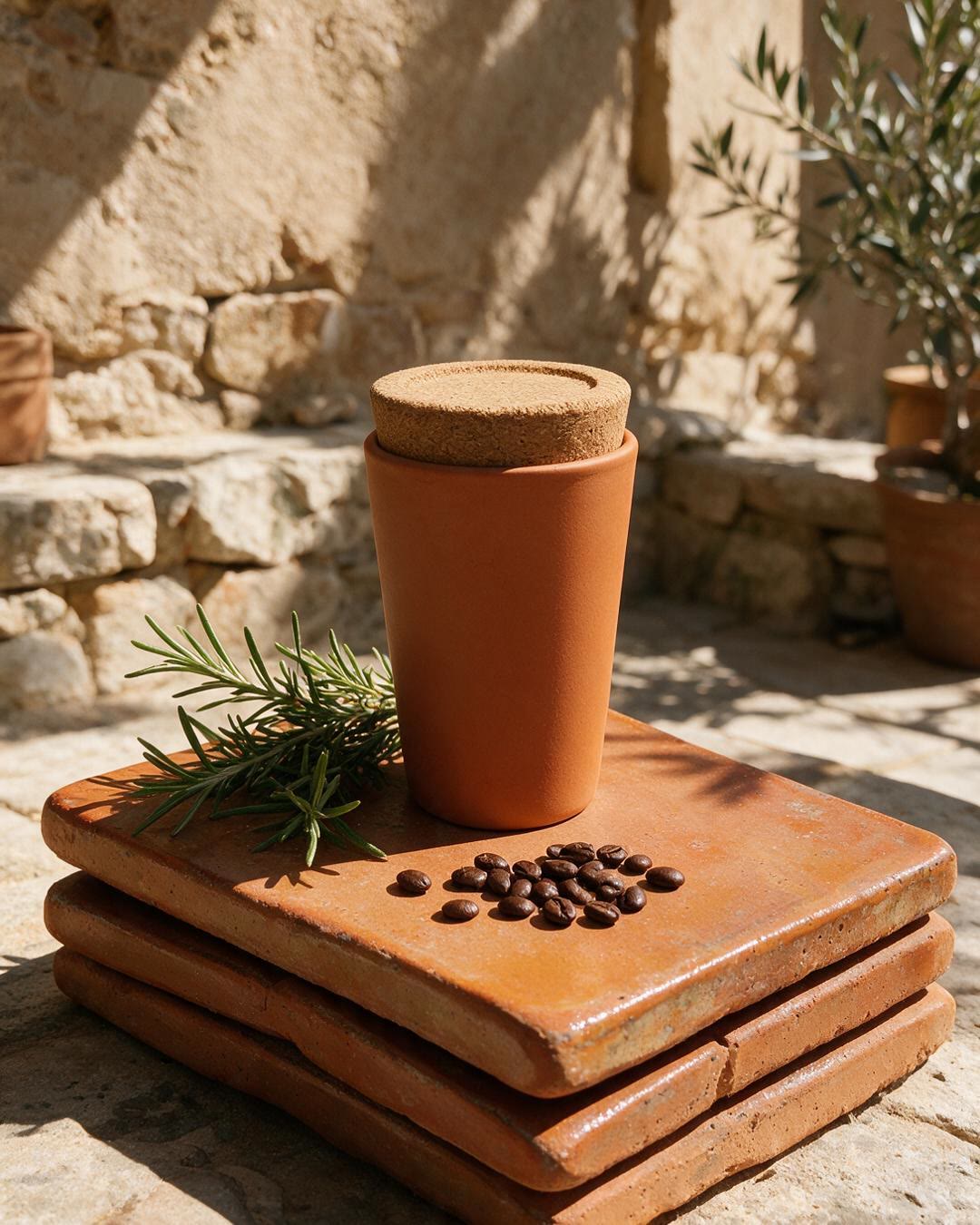
    Terracotta tiles scene, 4:5 feed
    Terracotta tiles scene, 4:5 feed
  3. 03 · Video Studio

    Turn the best stills into product films

    Each still becomes the first frame of a short vertical film with sound. The product stays the product: same shape, same cork lid.

    Open Video Studio
    Product film: slow orbit in the studio scene
    Product film: the lid comes off in the café
  4. 04 · Video Editor

    Cut, caption and export

    Drop the films on a timeline in the browser, trim, add captions and a soundtrack, and export a 1080p MP4. Everything you made above is already in your library.

    Open Video Editor

The whole brief: 661 credits ($4.74–$7.93 depending on plan), priced from the live catalog.

Made on November 14, 2026 with the engines these studios run: Nano Banana Pro for the stand-in phone photo, Seedream 5.0 Pro Edit for the scenes, Seedance 2.0 for the films. The tumbler is a made-up product, so the starting photo was generated too.

Feature by feature

AffogatoFlair AI
Best forFull sets of product and on-model shots, with videoHand-staged product scenes and custom models
Staging canvasNo; guided scenes and templatesFlair is a design canvas for product photoshoots: you stage a scene with drag-and-drop props and templates, then AI renders it[1]
Custom model trainingNo; one photo locks a product, a Character locks a personIt trains custom product, human and style models from 6–10 photos[2]
Product video5–10 second films in the same batchProduct videos from start and end keyframes, on every paid plan[2]
Team collaboration25 seats on one shared pool from $99/monthTeams work together on the canvas in real time[1]
Commercial licenceEvery paid plan, no watermarkThe company commercial licence is listed from Pro+[3]
Unused creditsRoll over, up to a capDon't roll over[2]
Developer APIREST API and MCP on every paid planAn API for Enterprise and Scale clients only, with no public docs[2]

Switching from Flair AI, step by step

  1. Use this cycle's credits

    Flair's credits don't roll over and expire when your billing cycle ends.

  2. Download your images

    Save what you want to keep; on Flair's free tier, images belong to Flair.

  3. Start from one product photo

    Upload it to Product Studio, pick scenes and placements, and add product films in the same batch.

  4. Add people

    Clothes go on an AI model in Fashion Studio; anything else goes in an AI creator's hands. Plans start at $24/month for 2,000 credits.

Questions people ask

What is Flair AI?

Flair is a design canvas for product photoshoots: you stage a scene with drag-and-drop props and templates, then AI renders it[1]. It trains custom product, human and style models from 6–10 photos[2].

Can I use Flair's free images commercially?

No. Free-tier images are owned by Flair AI, and commercial use needs a paid plan[4]. The company commercial licence is listed from Pro+[3]. Every paid Affogato plan includes a commercial licence with no watermark.

Do Flair credits roll over?

No. Unused image and model credits don't roll over[2]. On Affogato unused credits roll over up to your plan's cap (10,000 on Standard).

Can Affogato train a custom product model like Flair?

Not as a trained model. Product Studio keeps the product's shape, label and colour from one photo, and a person is saved once as a Character and reused across studios. Flair: It trains custom product, human and style models from 6–10 photos[2].

Does Flair have an API?

An API for Enterprise and Scale clients only, with no public docs[2]. Affogato's REST API and MCP server come with every paid plan and spend the same credits.

Make the whole campaign in one place.

Plans start at $24/month for 2,000 credits, and unused credits roll over. Every paid plan includes a commercial licence with no watermark.

Keep exploring

How we checked. Everything said here about Flair AI comes from its public pages, read on November 24, 2026 without signing up. We don't compare outputs side by side or quote their prices against ours, because plans and credit units differ too much to compare fairly. Prices and plans change; if something here is out of date, tell us and we'll fix it.

Sources (4, checked November 24, 2026)
  1. Flair AI homepage
  2. Flair AI FAQ
  3. Flair AI pricing page
  4. Flair AI terms of service