Restores in one step
Earlier diffusion restorers need many sampling steps. SeedVR2 was trained to restore in a single step, which makes whole clips practical to run.
SeedVR2 · by ByteDance Seed
SeedVR2 is ByteDance Seed's open video upscaler: a diffusion model that restores a blurry or compressed clip in a single step, redrawing faces, hair and edges instead of stretching pixels. Many people run it in ComfyUI on their own GPU; on Affogato it runs in Video Studio's Upscale tab, so a 540p clip comes back at 1080p with nothing to install.

Opens in Video Studio with ByteDance SeedVR2 picked. Sign in to run it; the price in credits shows first.
Earlier diffusion restorers need many sampling steps. SeedVR2 was trained to restore in a single step, which makes whole clips practical to run.
Blurry faces come back with eyes, brows and hair strands. Our busker's braids and the podcast hosts' glasses were sharp after one pass.
fal runs it with temporal consistency, so a face stays the same person through the take instead of flickering; our trainer held her face through a full squat.
ByteDance released the code and the 3B and 7B weights under Apache 2.0, and ComfyUI supports it natively. Affogato runs it for you, no GPU required.
Every clip below was made from the inputs shown beside it, unedited. Press “Hear it” to play a clip with its sound.
 Close-up: before | after
2× upscale, 540×960 → 1088×1920, 24 fps, sound kept. Her face, braids and the guitar's tuning pegs come back sharp. The braid texture is redrawn by the model, not recovered.
 Close-up: before | after
2× upscale, 960×540 → 1920×1088. Both faces, his glasses and beard, and the mic arms sharpen in a dark room without added noise.
 Close-up: before | after
2× upscale, 540×960 → 1088×1920. Her face, the kettlebell rack and the trees gain detail through the squat; the face stays the same person from frame to frame.
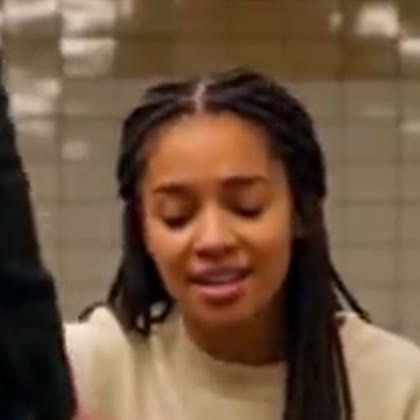
 Close-up: before | after
2× upscale, 540×960 → 1088×1920. Brows, lashes and the lipstick edges firm up, but skin stays soft: a face that already fills the frame has less to gain.
Start here
Blurry, low-res or compressed footage
Rebuilds faces, hair and texture. Try it on a few seconds before a long clip.
Not switched on right now
Option 2
Clean, smooth results
The Upscale tab's default. Smoother skin, less invented texture.
From 73 credits a clip · longer clips cost more
Open with Topaz Video UpscaleImage upscaling (Topaz, Clarity and others) lives in Image Studio's Upscale tool. Credits are read from the live catalog; the Standard plan ($24/month) includes 2,000 credits.
Upload a video or send one from your library or a result tile.
Choose ByteDance SeedVR2 in the Upscale tab's model menu. Runs come out at 2× today.
The credit price for your clip's length shows under Generate before anything is spent.
The upscaled clip lands in your library, same length and sound, ready to download.
An open video restoration and upscaling model from ByteDance Seed. It is a diffusion transformer trained to restore a clip in one step, published in June 2025 and accepted at ICLR 2026.
Yes. The code and the 3B and 7B weights are released under Apache 2.0. ComfyUI supports it natively, and a community node by numz is also widely used.
Not on Affogato: it runs on our side. Running it yourself is heavy; ByteDance lists one 80 GB H100 for about 100 frames at 720p, and four for 1080p.
SeedVR2 for blurry or heavily compressed footage where you want faces and texture rebuilt. Topaz for cleaner, smoother results on footage that is already decent. Our Topaz video upscale page shows both on the same clips.
Yes, from a 1080p clip: Affogato runs 2×, so 1080p becomes 4K and 540p becomes 1080p. For 540p to 4K, run the result through Upscale a second time.
No. It is billed by the clip's length, and the price shows before you run. Credits come with a monthly plan.
Facts checked November 16, 2026. Sources: arXiv: SeedVR2 paper · GitHub: ByteDance SeedVR · SeedVR2 project page · Hugging Face: SeedVR2-7B · ComfyUI docs: SeedVR2 · fal: SeedVR2 video upscale API