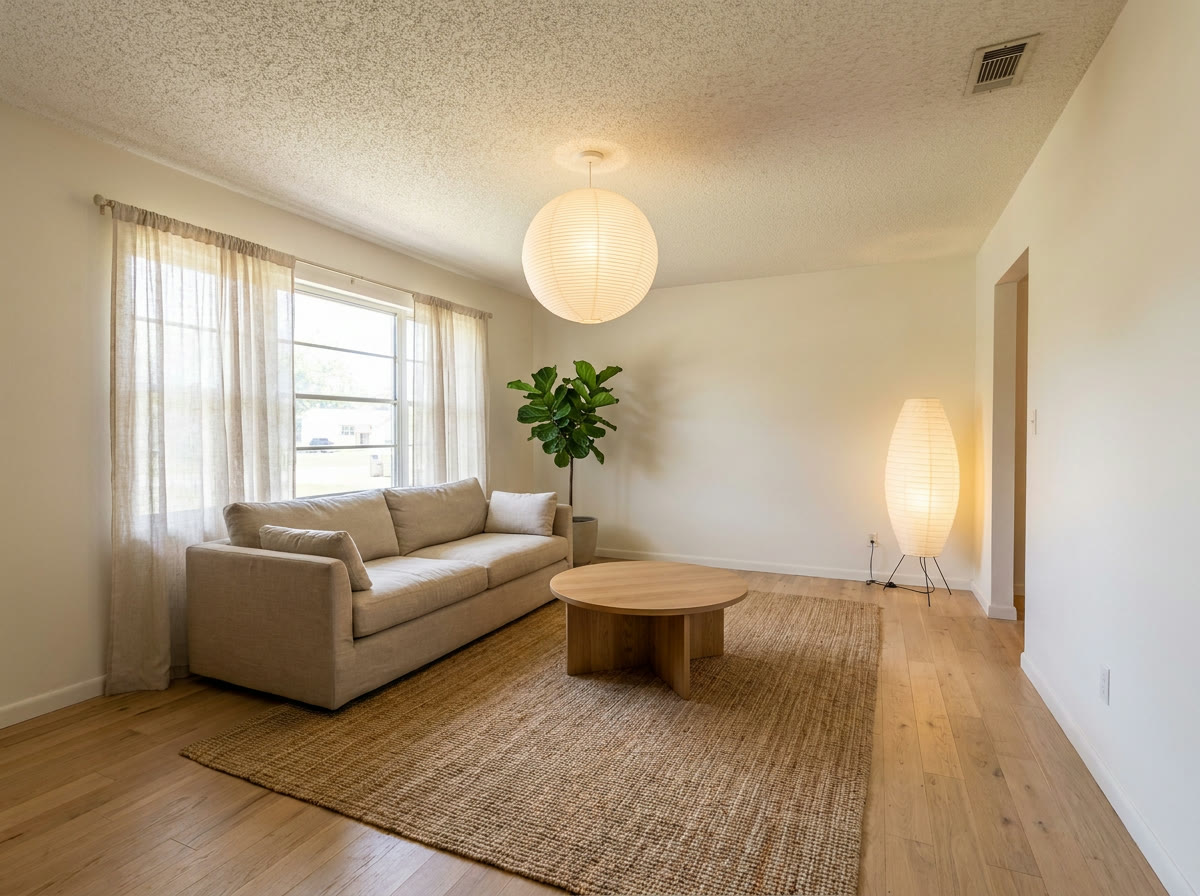
Image studio · Real estate
AI virtual staging
Upload a photo of an empty room and describe how to furnish it. The edit model adds the sofa, bed, table, rugs, lamps and art and leaves the architecture alone: the same floor, walls, windows, radiators and camera angle. Buyers see a home instead of an empty box.
Empty room in, furnished room out
- Upload the listing photo of the empty room.
- Describe the furniture and the style.
- Stage every room in the same style.
Sign in to run it. The price shows first.


An empty living room, staged
01 Empty
Empty apartment living room with an oak floor, white walls, a radiator and a large window
02 Staged
The same living room staged with a grey sofa, wooden coffee table, armchair, rug, lamp, plant and framed prints
03 What changed
Added: a light grey three-seat sofa, a wooden coffee table, a wool rug, an accent armchair, a floor lamp, a plant and two framed prints. The floor, walls, window, radiator, ceiling and camera angle are the original.
Unedited output.
Nano Banana Pro Edit, one run, unedited. The rooms on this page are AI-generated.
How do you virtually stage a room with AI?
Upload the empty-room listing photo to Image Studio's Edit tab. Describe the furniture you want and where it goes, then what must not change: "Do not change the floor, walls, window, radiator, ceiling or camera angle." Keep the style the same across rooms so the listing reads as one home.
Most listing sites and agent associations expect virtually staged photos to be labelled as such. Check your market's rules and show the empty photo alongside.
Virtually stage this empty [room] for a real estate listing: add [main furniture], [rug], [lighting], [plants and art]. Do not change the floor, walls, windows, [fixtures], ceiling or camera angle. Realistic interior photo.
What it does
- Architecture kept
- Floor, walls, windows, radiators, cabinets and the camera angle stay as photographed.
- Any room
- Living rooms, bedrooms, kitchens, dining areas, home offices, nurseries.
- One style across the listing
- Reuse the same furniture and palette words so every room belongs to one home.
- Minutes, not days
- No shipping furniture or booking a stager; restage when the listing changes.
Bedroom and kitchen, staged
Same prompt pattern, two more empty rooms. One run each.
 Empty
 Staged
Empty bedroom
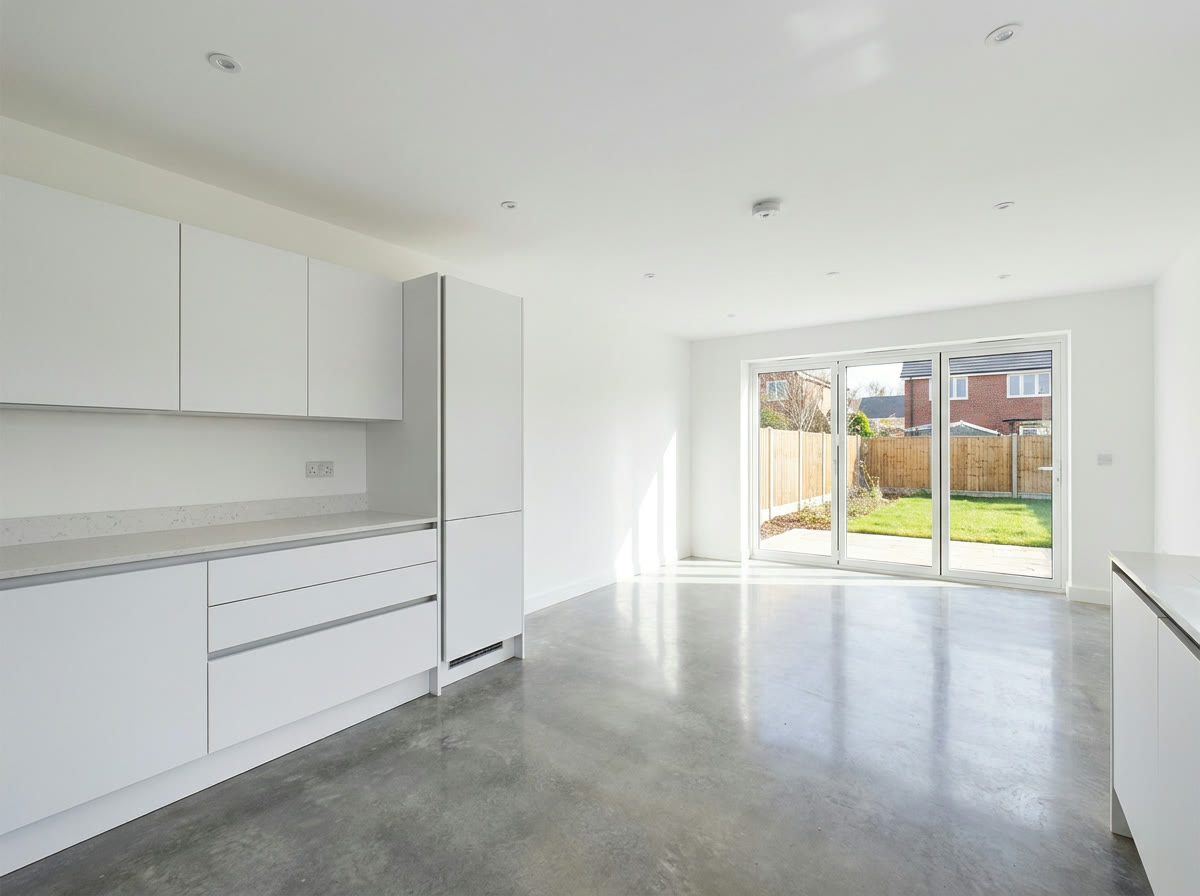 Empty
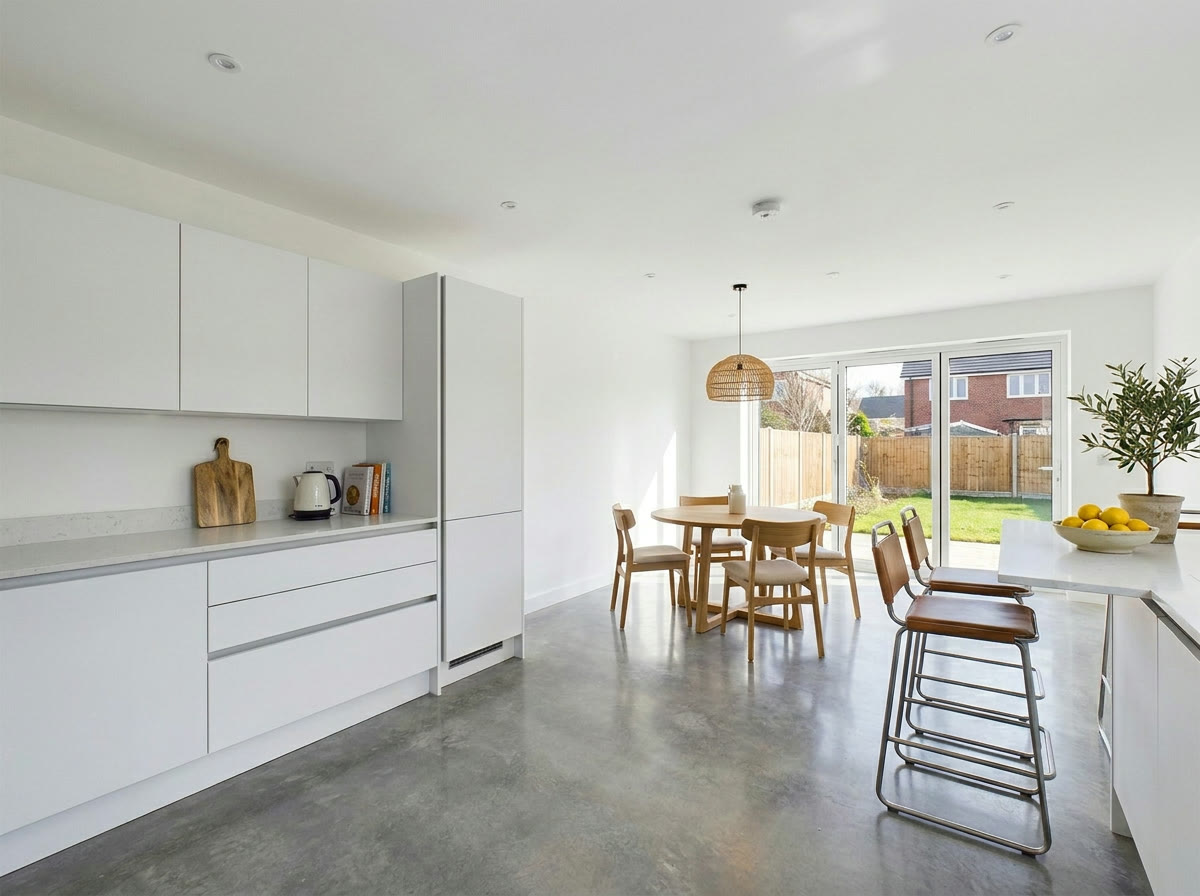 Staged
Empty kitchen and dining area
How to virtually stage a room with AI
- 01
Upload the empty room
Use the listing photo, shot from a corner at eye level. Open Image Studio's Edit tab with Nano Banana Pro Edit.
Leftover boxes or tools in the room? Erase them first.
- 02
Describe the furniture
Name the pieces, materials and colors, then "do not change the floor, walls, windows, ceiling or camera angle".
Staging several rooms? Reuse the same style words in every prompt.
- 03
Check and label
Compare walls, windows and fixtures with the original, then download. Label the photo as virtually staged where your market requires it.
A window or outlet moved? Run it again with that fixture named in the keep list.
Models for staging
Our examples use Nano Banana Pro Edit, which kept every wall, window and fixture. Compare on your own photo.
| Model | Best at | Credits |
|---|---|---|
| Nano Banana Pro Edit | Keeping a face exactly while the rest changes | 30 per image |
| Seedream 5.0 Pro Edit | Changing one region and leaving the rest untouched | 27 per image |
| GPT Image 2.6 Flare Edit | Following long, detailed instructions | 76 per image |
| Seedream 5.5 Edit | Restyles and new scenes, up to 2K | 16 per image |
Where it's used
Tips
- Shoot from a corner so two walls show.
- Name every fixture that must stay: radiator, outlets, cabinets.
- Use the same style words for every room in a listing.
- Label virtually staged photos where your market requires it.
Is AI virtual staging allowed on listings?
Virtual staging is widely used, but most markets expect it to be disclosed. Many listing services and agent associations ask for a note such as "virtually staged" on the photo, and for the empty photo to be shown too. Rules vary, so check yours.
Staging should add furniture, not change the property. Don't remove fixed problems (damp, cracks, a view of a wall) or add features the home doesn't have.
FAQ
Will it change the walls, floor or windows?
It is told not to, and in our examples it didn't. Always compare the staged photo with the original before you publish it.
Do I have to disclose virtual staging?
In most markets, yes: listing services and agent associations commonly require virtually staged photos to be labelled. Check the rules where you list.
Can I stage a furnished room differently?
Yes, describe the new furniture and say what to replace. For a full restyle of a furnished room, see AI room design.
How much does it cost?
Nano Banana Pro Edit is 30 credits per image. The Standard plan is $24 a month for 2,000 credits. The price shows before you run it.